They’re building a case. Are you?
Vindicated turns screenshots, missed pickups and late-night notes into one record your lawyer can actually read.
Approved for iPhone. Coming soon to the App Store. The button opens your email app.

A screenshot isn’t a timeline.
Screenshots, notes and memories can be scattered. Here’s how they can become a record your lawyer can review.
- 1
Write it down while it’s fresh
A note, a voice memo, a photo, or a quick log of an exchange.
- 2
Bring in what you already have
Screenshots, compatible chat exports and PDFs. The originals stay untouched.
- 3
Check the details
Confirm dates and senders before entries join your timeline. Unclear items wait for you.
- 4
Hand over one packet
A short brief first, then every record and exhibit you chose.
THE APP / IN YOUR HANDS
From scattered to organized.
Save what happened. Find it later. Share the details you choose.
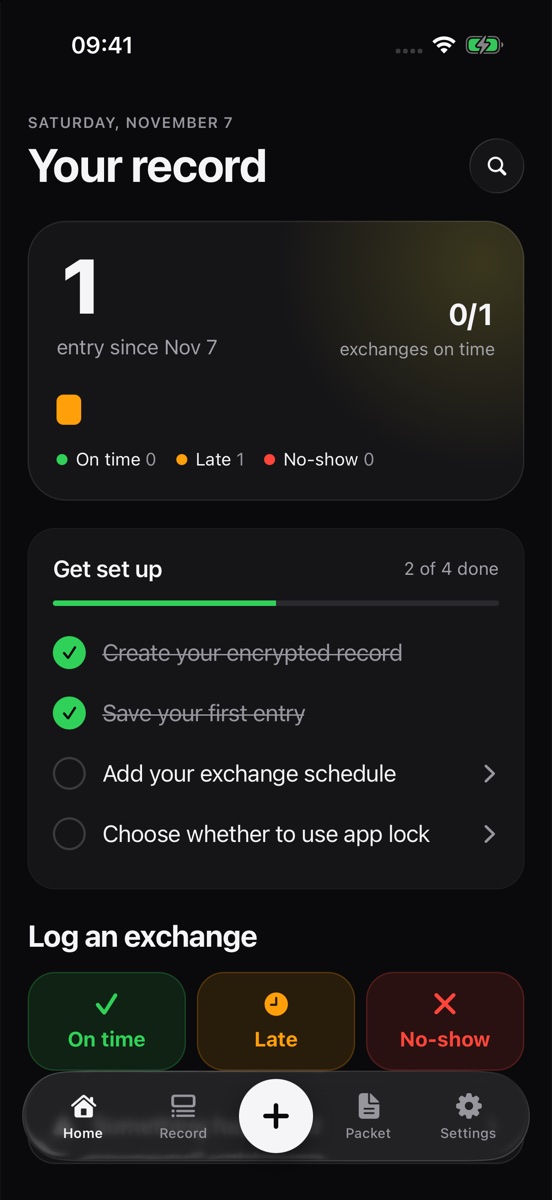
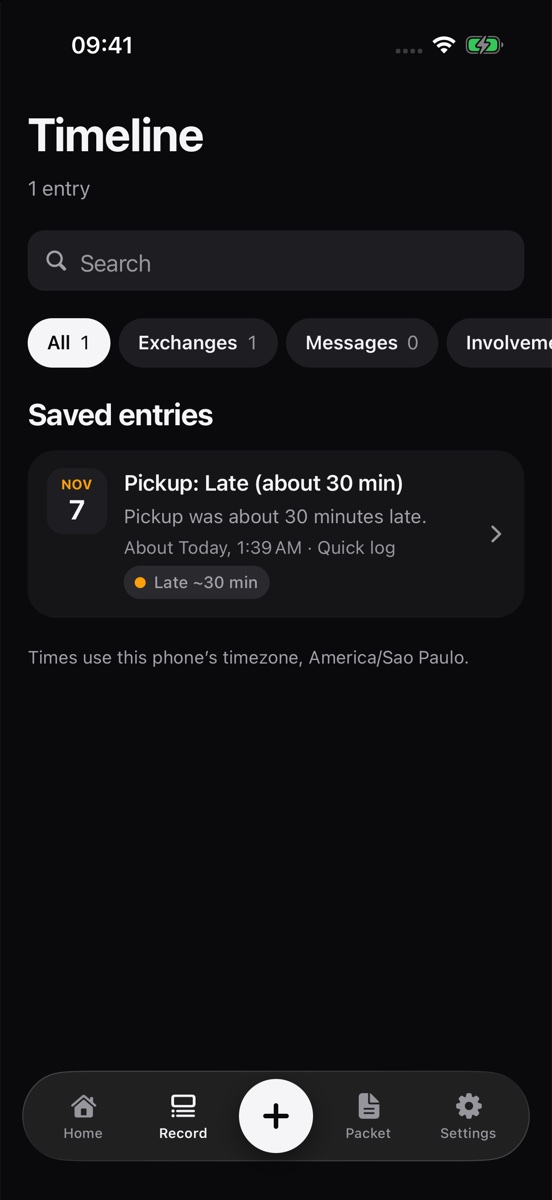
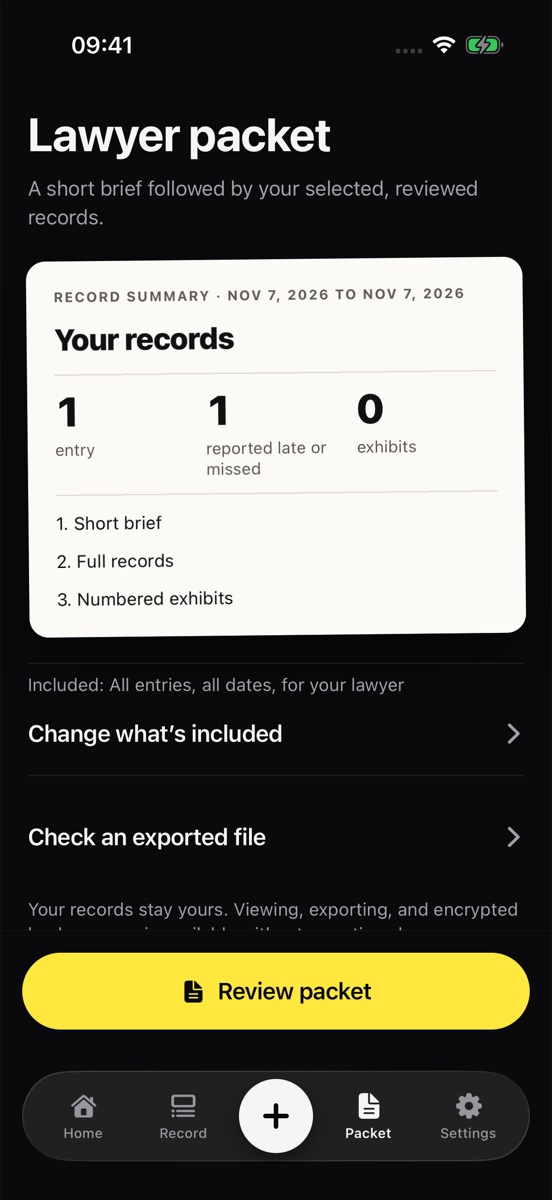
Actual app screens shown with fictional records.
A short brief, followed by the records and exhibits you selected.
Unchanged originals and additional record data, when needed.
A short brief. Your record behind it.
Start with a short brief, followed by the records and exhibits you choose. Share the original files separately when needed.
- Short briefDates covered, counts and labeled excerpts.
- Full recordsEvery entry you selected, with your approved wording.
- Originals, if askedA separate ZIP with unchanged files, history and a file-check manifest.
Wherever you are in it.
Nobody has filed yet
You’re separating, or you can feel it coming. Start with the last few months while you still remember them.
A hearing is coming
Pull in the screenshots and notes you already have and get them in order for your lawyer or mediator.
The order isn’t being followed
Log each exchange against the schedule: on time, late or missed.
Your record stays yours.
Your record is encrypted on your phone. Nothing goes to the other parent, a lawyer or an AI service unless you choose to send it.
With account recovery, you can restore a completed encrypted backup after sign-in. Vindicated keeps a protected recovery key for this; the service can technically unlock a backup.
Read the backup and recovery guideStraight answers.
Can I download it today?
Not yet. Vindicated has been approved for iPhone and is coming soon. We’ll add the official App Store link here when it’s available.
Does it prove what happened?
No app can. Vindicated helps organize records and preserve originals for your lawyer to review. A file fingerprint checks that saved files haven’t changed; it doesn’t prove truth, authorship or when an event happened.
Is this legal advice?
No. Vindicated isn’t a law firm. It can’t promise a custody outcome or that a court will accept a record.
What will it cost?
Your first three entries are free. Planned U.S. pricing is $59.99 per year or $6.99 per week, with automatic renewal until canceled. Apple shows the final price before purchase. Reading, exports and backups remain available without an active plan.
Will voice notes and screenshot reading work on my phone?
They depend on your iPhone and iOS version. You can also type notes and review imports manually.
Start your record before you need it.
Opens your email app. Send a message to ask about the launch; there’s no sign-up list yet.